Paste one script. That's the installation.
Copy the exact snippet from your SiteAirbag site page. It contains the one-time installation code generated for that exact website origin.
<script
  async
  src="https://siteairbag-web-staging.abrarkanekar12.workers.dev/v1.js"
  data-site="site_YOUR_PUBLIC_SITE_ID"
  data-install-token="sa_it_ONE_TIME_CODE">
</script>Use any place that loads normal JavaScript on all pages. Platform-specific screens differ, but the underlying installation never changes.
Use the fresh code within 45 minutes. It is intentionally visible, single-use, and cannot access your SiteAirbag account.
The runtime sends a privacy-light heartbeat from the configured origin. Localhost installations require an explicit port and the local server must remain running.
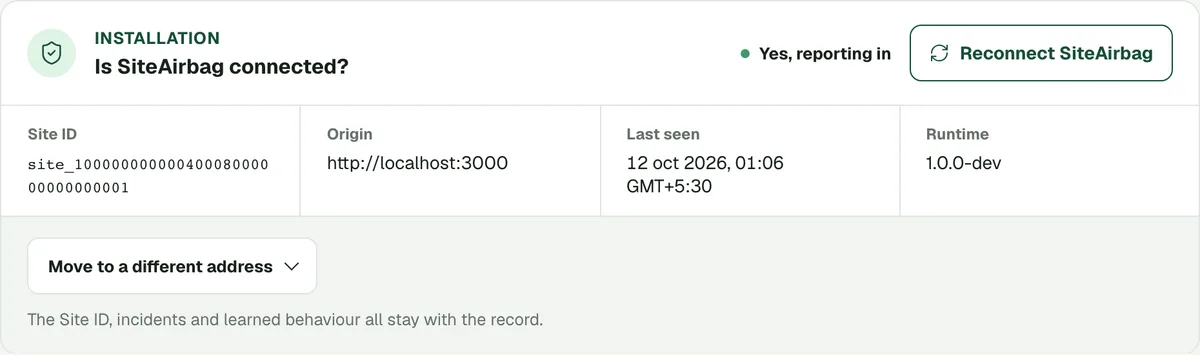
Connected status includes the last-seen time and runtime version.
If your site has a Content Security Policy
Most websites do not have one, so you can skip this section. If yours does (CSP), add SiteAirbag to its existing script and connection rules. Keep your other sources and restrictions. The runtime, setup code, configuration and telemetry all use the same origin:
script-src https://siteairbag-web-staging.abrarkanekar12.workers.dev
connect-src https://siteairbag-web-staging.abrarkanekar12.workers.dev
If your policy also defines script-src-elem, add https://siteairbag-web-staging.abrarkanekar12.workers.dev there too; that explicit rule controls the installed script tag.
If either rule is absent but default-src is present, add the origin there, or create an explicit rule that also retains every source your website already needs. Each policy sent by a header, CDN or meta tag must allow SiteAirbag. A meta policy must appear before the script; it cannot be report-only.
With a nonce policy, your server can put the page's nonce on the SiteAirbag script. Without strict-dynamic, the host entry above can also permit a static script without a nonce. With strict-dynamic, a static script without a nonce is blocked even if the host is listed; a nonced static script or one inserted by an already trusted script can load. SiteAirbag cannot create your page's nonce. Hash approval of the changing /v1.js loader is not supported.
In Next.js, read the request nonce from headers() in the server-rendered layout and set it as the nonce attribute of the plain <script> tag in <head>. Do not use next/script for this tag: it adds the script from the browser, and the install check reads your published page's HTML for the tag. If the policy uses 'strict-dynamic', that nonce is required on the installed script unless an already-trusted script inserts it.
No inline style permission, wildcard, or CSP reporting destination is needed. If your site restricts Trusted Types policy names, add siteairbag to its existing trusted-types directive so the runtime can use its origin-limited script URL policy. If CSP blocks the script before it runs, SiteAirbag cannot diagnose the cause. If it blocks the connection, SiteAirbag cannot deliver a diagnostic through another channel.
Confirm the installation
Every platform uses the same script; only the place you paste it changes. Always use the exact snippet from your workspace and verify on your deployed origin.